A green “plugins updated” screen is not the same as a working shop. After a WooCommerce, gateway, or theme change, the failures that hurt most are often quiet: a payment method left in test mode, a checkout page that lost its shortcode, downloadable products with no files, or customer emails turned off. Shoppers notice first. Support tickets follow.
Here’s a practical WooCommerce store maintenance checklist for what to verify so the store stays sellable — plus how to run that check with StoreCrafted’s free Store Maintenance Checklist for WooCommerce plugin.
Why a WooCommerce store maintenance checklist beats a status glance
WordPress Site Health (Tools > Site Health) and the WooCommerce System Status report (WooCommerce > Status) are useful when something is already broken. They are troubleshooting dumps, not a merchant-facing ops checklist you re-run after every update or busy sales week.
A good WooCommerce maintenance checklist answers commerce questions:
- Can shoppers still pay?
- Is the product catalogue still sellable?
- Will order emails send?
- Are orders and background jobs stuck?
- Is the environment quietly unsafe for production?
You can walk those screens by hand. Many store owners never quite find the time. That is the gap this checklist — and the free plugin — are built for.
What to check on your WooCommerce store after an update
Use the sections below as a manual pass when you check WooCommerce after an update, or as the mental model for an automated scan.
Catalogue and required pages
Confirm products can still be bought:
- Prices present and valid (including every variation that should be purchasable)
- Featured images and enough description for the products you promote
- Downloadable products still have files attached
- Stock and SKUs look intentional (missing or duplicate SKUs are easy to miss after imports)
- Virtual products are not still marked as requiring shipping by mistake
- Required WooCommerce pages (shop, cart, checkout, my account) still resolve
- Privacy and refunds pages are published if you rely on them at checkout
- Expired coupons are not still published if you meant them to end
Payments and tax (your WooCommerce checkout checklist)
Treat checkout as the revenue path, not a page that “looks fine”:
- At least one payment gateway is enabled for live sales
- Each gateway’s settings show live mode on production — not test or sandbox
- If taxes are enabled, tax rates are actually configured
After major gateway or WooCommerce updates, place a controlled test order on staging (or a low-risk live check). A charged card is not enough if the order never records or emails never send. This is operational hygiene, not a PCI or legal assessment.
Shipping
For physical products:
- Shipping methods exist where customers expect them
- Default or regional zones are not empty
- Delivery-time messaging is in place if you promise timing on the storefront
Email and fulfilment
Silent email failures drive “where is my order?” tickets:
- From addresses look legitimate (not a weak or mismatched sender)
- Customer and admin order emails are enabled
- New-order recipients are set so the team still gets notified
Orders and background jobs
Watch for debt that stacks up after a busy week or a failed update:
- Orders are not piling up in pending, on-hold, or failed without a reason
- Action Scheduler jobs are not failed or overdue (under WooCommerce > Status > Scheduled Actions)
- High-Performance Order Storage (HPOS) compatibility mode is not left on longer than you intend
- Large volumes of aged completed or cancelled orders are on your radar if they slow admin work
Environment
These are the quiet production risks that rarely show up in a casual click-through:
- HTTPS is on for production
- Debug display is off on production
- Permalinks are not left on “Plain”
- Store address, currency, and timezone are set
- Coming soon / site visibility is not hiding a store you meant to open
- PHP, WordPress, database, and memory meet WooCommerce’s recommendations for your host
- Available updates and fatal-error logs are reviewed on a cadence, not only in a crisis
None of that is glamorous. All of it is cheaper than learning about a broken checkout from a customer.
A free plugin that runs the checklist for you
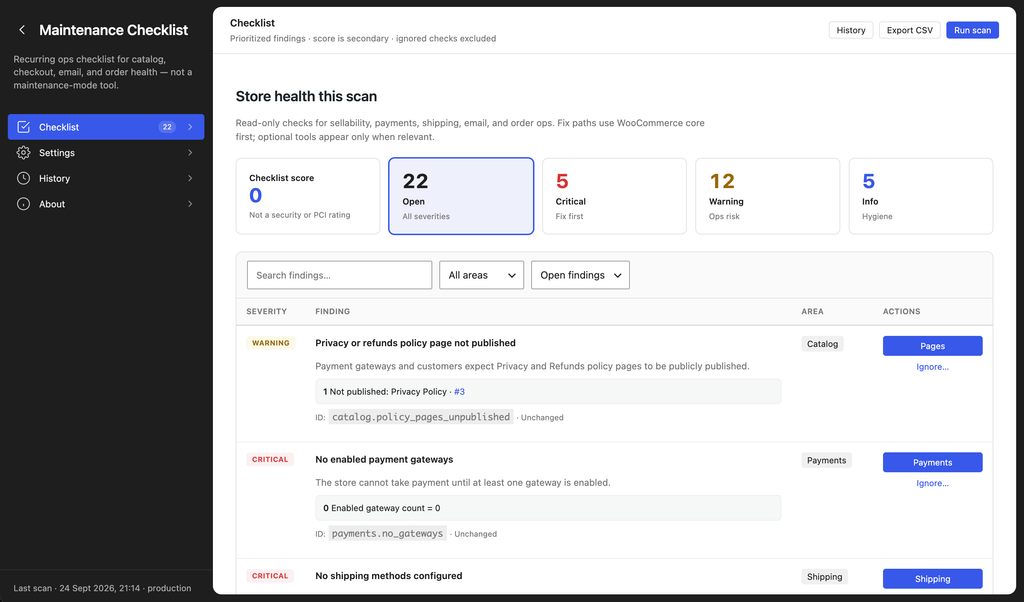
Store Maintenance Checklist for WooCommerce turns that scattered walkthrough into one prioritised scan under WooCommerce > Maintenance Checklist.
At the time of writing (plugin version 1.0.0), it:
- Runs 50 checks across catalogue, payments, shipping, email, orders, and environment
- Uses a hybrid scan: fast sync checks in the request, plus Action Scheduler batches for catalogue work so large catalogues do not freeze the admin
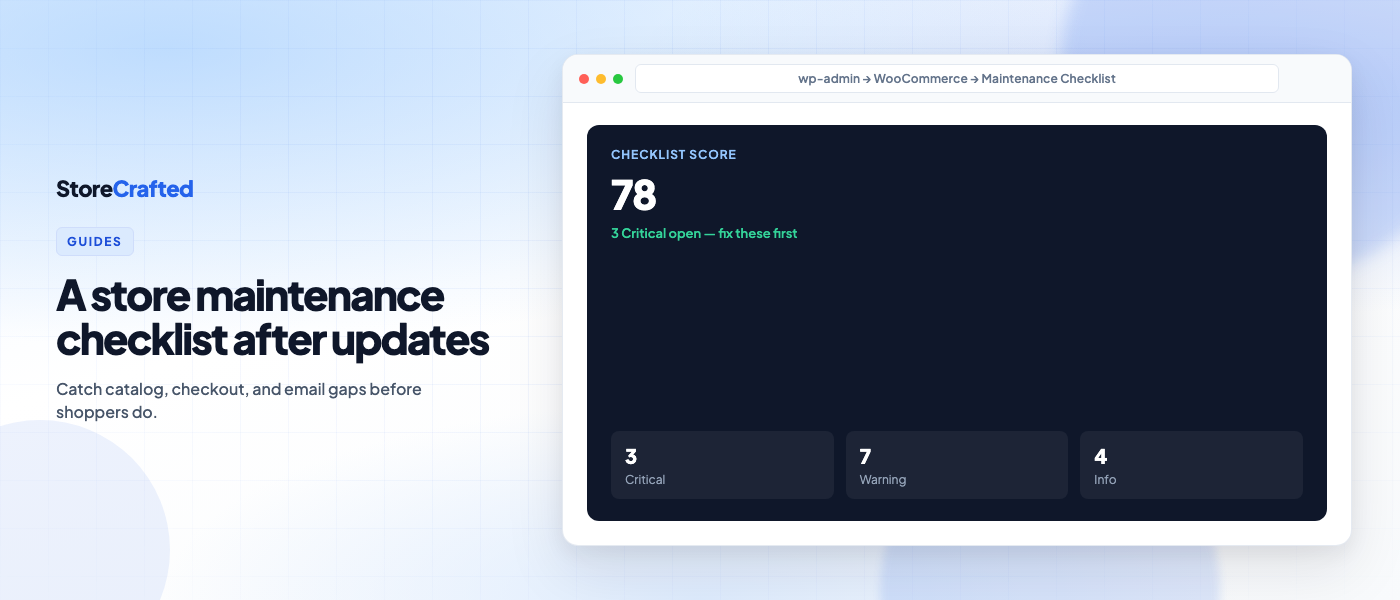
- Scores open findings as Critical, Warning, or Info, with plain-language explanations
- Shows evidence (counts and sample admin deep links where useful) and a free WooCommerce or WordPress fix path on every finding
- Lets you ignore intentional setups with a reason, keep history of past runs, and export open/ignored findings to CSV
- Keeps scans on your site — no remote scan service, no usage telemetry, no StoreCrafted account required
Optional “Further tools” links to related StoreCrafted products may appear after the free steps on matching findings. They are labelled, can be turned off in Settings, and never raise severity because a paid plugin is missing. You never need to buy anything to clear a Critical finding.
Test/sandbox gateway detection applies where the plugin can detect that mode; always confirm gateway settings yourself on production.
Requirements: WordPress 7.0+, PHP 8.1+, WooCommerce 10.0+. The plugin declares HPOS compatibility.
Get it from the WordPress.org plugin page.
How to install and run your first scan
- In wp-admin go to Plugins → Add New Plugin.
- Search for Store Maintenance Checklist for WooCommerce.
- Install and activate (WooCommerce must already be active).
- Open WooCommerce → Maintenance Checklist.
- Click Run scan and wait for the progress panel to finish.
- Work Critical findings first, then Warnings, then Info.
- Re-run the scan after you change settings or catalogue data so the score reflects reality.
On large catalogues, product checks run in batches. Defaults bound the pass at 1,000 products and 2,000 variations (configurable in Settings). If a bound is hit, the score is marked provisional — raise the bounds or re-run after clearing Criticals if you need a fuller catalogue pass.
Staging and local environments soften severities by default. Use Treat as production for scan severity in Settings when you want full Criticals during QA.
How to use the score without overtrusting it
The checklist score is informational only. It is not a security, PCI, or legal certification. Use severity order, not vanity:
- Critical — money or trust risk (start here)
- Warning — ops risk
- Info — hygiene
Ignore findings that are intentional for your store (for example sandbox gateways on staging, or a catalogue-mode shop without shipping). Ignored checks stay visible as ignored — they are not fake “passed” — and they are excluded from the score.
History keeps recent run summaries with change markers (new, resolved, unchanged, worsened) so agencies and merchants can see whether the store is improving.
What this plugin is not
Worth saying plainly, because the name is easy to misread:
- It is not a maintenance-mode or coming-soon plugin. It does not close the shop or hide the storefront.
- It is not an auto-fixer. Scans are read-only; you apply fixes in WooCommerce and WordPress.
- It is not a replacement for a full test checkout after high-risk changes. Pair the scan with a staging or sandbox order when you update payment gateways or checkout customisations.
Start here this week
After your next plugin or WooCommerce update — or as a monthly habit — run the checklist before you assume the store is fine. Install Store Maintenance Checklist for WooCommerce, open WooCommerce > Maintenance Checklist, clear Criticals first, then re-run.
Read the documentation for the Store Maintenance Checklist for WooCommerce plugin.
The goal is simple: find catalogue, checkout, email, and order gaps on your schedule, not your customers’.