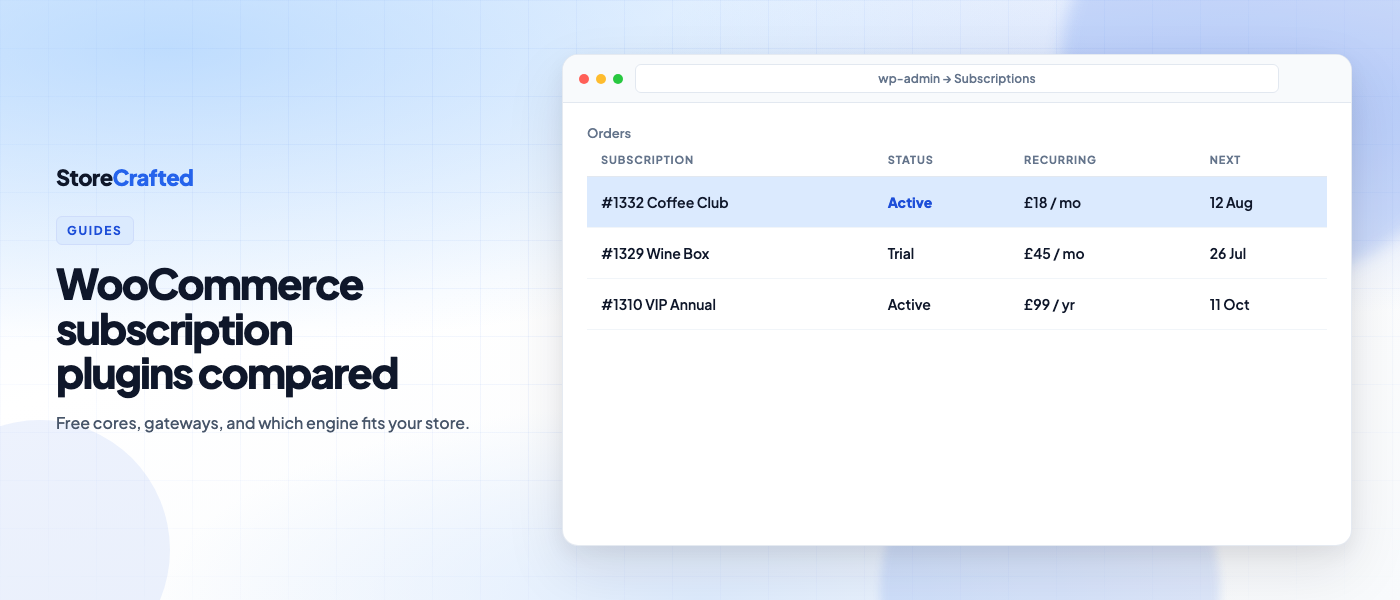
WooCommerce does not sell subscriptions on its own. You need a subscriptions engine for recurring billing, renewals, and customer self-service — and the wrong pick is expensive to undo once cards and schedules are live.
This guide compares the best WooCommerce subscription plugins for a typical store deciding what to install in 2026. It covers pricing models, what free cores actually include, gateway limits, and migration risk. Prices and feature lists change; verify the vendor page before you buy.
Our editorial pick for most new stores is Milo Subscriptions — a free core that includes the engine (billing, trials, plan switching, customer portal, migration tools), with paid add-ons when you want growth features. That is not the only sensible answer: WooCommerce Subscriptions still wins when you need the widest gateway and marketplace ecosystem.
StoreCrafted is not the vendor of these plugins. The preference below is editorial, based on free-core completeness and add-on pricing — not a sponsorship.
What adding subscriptions actually means
Before you compare logos, decide what you need the plugin to own:
- Recurring billing — daily to yearly cycles, optional end dates, mixed carts where relevant
- Trials and sign-up fees — try-before-you-buy and one-off setup charges
- Renewals and failed-payment recovery — automatic charges, retries, and emails when a card declines
- Customer self-service — pause, cancel, update payment method or address without a support ticket
- Admin operations — edit next payment dates, statuses, and subscription lines without SQL
- Gateways and tokens — saved cards that renew off-session (this is where “free” plugins often disappoint)
- Migration — moving existing subscribers without forcing every customer to re-enter a card
If a marketing page only shows product types and billing intervals, dig into gateways, retries, and what is locked behind Pro.
How to choose a WooCommerce subscription plugin
Match the plugin to the constraint that matters most for your store.
| Your situation | Start here |
|---|---|
| You need the broadest documented gateway and marketplace integrations | WooCommerce Subscriptions |
| You want a full free engine, then optional paid growth tools | Milo Subscriptions |
| You care most about subscribe & save, installments, and retention tooling in one paid stack | Sublium |
| You only use Stripe and want a lightweight paid licence | Smart Subscriptions (StoreApps) |
| You want a mature WordPress.org free plugin with a Pro upgrade path (including boxes) | Subscriptions for WooCommerce (WP Swings) |
| Installments / split payments are central to the offer | WPSubscription or Sublium |
| Physical boxes and delivery scheduling are the product | YITH Premium or WP Swings (box features) |
| You want a conventional paid licence at a lower list price | ThemeHigh Subscriptions for WooCommerce |
Also check HPOS and block checkout support on the vendor docs for your WooCommerce version. Recurring billing that only works on the classic shortcode checkout is a future migration tax.
Best WooCommerce subscription plugins at a glance
Here is how the eight plugins stack up side by side. Pricing is approximate at the time of writing (October 2026) for a single-site annual licence unless noted — confirm on the product page.
| Plugin | Pricing model | Meaningful free core? | Gateways (high level) | Best for |
|---|---|---|---|---|
| Milo Subscriptions | Free engine; optional 1% via Milo Payments; paid add-ons / all-addons bundle (often listed around $149/yr — verify) | Yes — billing, trials, switching with proration, portal, health check, migrator | Stripe, PayPal, Mollie, Square via Milo Payments; bring-your-own options via add-ons | Most new stores that want a free WooCommerce subscriptions plugin with a complete engine |
| WooCommerce Subscriptions | ~$279/yr; no free tier | No | 25+ documented automatic-payment gateways | Ecosystem default; complex gateway needs |
| YITH WooCommerce Subscription | Free + Premium (often listed around €199.99/yr — verify) | Limited — free renewals are PayPal-centric; serious features sit in Premium | Wider with Premium | Boxes / delivery scheduling when Premium fits |
| WP Swings | Free + Pro from ~$129/yr | Partial — useful free tier; switching, retries, and more in Pro | Stripe and several others in free; more in Pro | Freemium path with subscription boxes |
| ThemeHigh | From ~$89/yr | No free product page tier for the full plugin | Narrower than WooCommerce.com (PayPal native; Stripe via ThemeHigh’s gateway story) | Budget paid licence for conventional subscriptions |
| Sublium | Free tier + paid plans (Launch often ~$99.50 intro, renews higher — verify) | Yes for basics; retention/analytics deeper in paid | Stripe, PayPal, Square, Mollie, Authorize.net (per vendor) | Subscribe & save, installments, retention |
| WPSubscription | Free + Pro from ~$89/yr | Yes for getting started | Stripe / PayPal focus (confirm current list) | Installments and recovery-focused Pro |
| StoreApps Smart Subscriptions | ~$49 promo / ~$99 annual (verify) | No | Stripe only | Simple Stripe-native launch |
A comparison table is not enough on its own. The expensive surprises are usually gateway limits, thin free tiers, and migrations that drop payment tokens.
Free WooCommerce subscriptions plugin options: what “free” usually means
A free WooCommerce subscriptions plugin on WordPress.org is not automatically enough to run a real store. Ask three questions:
- Can customers pay automatically with the gateways you already use?
- Are trials, plan changes, and a customer portal included — or only in Pro?
- Can you migrate later without rewriting every subscription by hand?
Among free cores, Milo stands out because plan switching with proration, the My Account portal, a subscription health check, and a built-in migrator ship in the free plugin. WP Swings and Sublium also offer free starting points; YITH’s free tier is thinner for automatic card renewals. WooCommerce Subscriptions and ThemeHigh’s paid product are licence-first.
Plugin notes

Milo Subscriptions (editorial pick)
Milo (WordPress.org listing) is a modern subscriptions engine for WooCommerce — and for standalone WordPress if you turn that mode on. The free core includes recurring billing, free trials, sign-up fees, plan switching with proration, a customer portal, a subscription health check, HPOS and block checkout support, and migration tools from several sources including WooCommerce Subscriptions.
You can connect Stripe, PayPal, Mollie, and Square through the free Milo Payments companion (1% on successful payments when you use it), or bring another gateway path via add-ons. Growth features — failed payment retry schedules, advanced analytics, memberships, box tools, and more — sit in paid add-ons or the all-addons bundle rather than behind a paywalled engine.
Trade-off: newer than the official plugin, so some third-party extensions still integrate with WooCommerce Subscriptions first. Test renewals on staging with your real gateway.

WooCommerce Subscriptions
The official WooCommerce Subscriptions extension (about $279/year at the time of writing) remains the reference implementation. Flexible plans, trials, sync/proration, customer self-service, built-in failed-payment retries, and the deepest documented gateway compatibility make it the safe default for stores that depend on a specific regional gateway or a large marketplace of related extensions.
Trade-off: you pay for the engine every year. Features such as memberships or advanced automation often mean more WooCommerce.com licences on top. If you do not need that ecosystem, the licence cost is harder to justify against a complete free core.
YITH WooCommerce Subscription
YITH ships a free WordPress.org plugin and a Premium upgrade. Free covers basic plans and is oriented around PayPal for automatic renewals. Premium adds the parts most stores expect next: trials, sign-up fees, synchronised renewals, subscription boxes, pause/resume, upgrades, and broader card gateway support. Confirm the live Premium price on YITH’s site (third-party roundups often cite around €199.99/year for one site).
Trade-off: treat free as a trial of the product type, not a production card-billing stack, unless PayPal-only renewals match your market.

Subscriptions for WooCommerce (WP Swings)
WP Swings has a large free footprint on WordPress.org: simple-product subscriptions, trials, sign-up fees, emails, a subscription box builder, and Stripe-oriented renewals in the free tier. Pro (from about $129/year for one site) layers switching, gifting, retries, and more advanced management.
Trade-off: advanced lifecycle features often require Pro. Map free vs Pro against your must-haves before you launch.
ThemeHigh Subscriptions for WooCommerce
ThemeHigh is a conventional paid plugin (from about $89/year for one site at the time of writing) with simple and variable subscriptions, trials, sign-up fees, sync and prorate options, renewal discounts, emails, and My Account management. It markets multilingual compatibility strongly.
Trade-off: gateway breadth is narrower than WooCommerce Subscriptions. Confirm Stripe, PayPal, and any other processor you need on a staging site before you commit.
Sublium
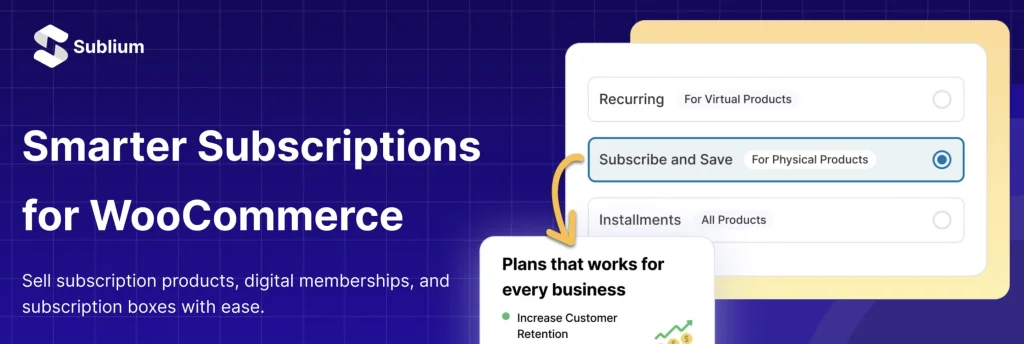
Sublium (from the FunnelKit company) positions as a modern all-in-one: subscribe & save on physical products, recurring digital plans, installments, upgrades, cancellation flows, payment recovery, and analytics. There is a free WordPress.org starting point; paid Launch, Growth, and Scale plans unlock the retention and insights stack. Introductory first-year prices are often half of the renewal rate — read the checkout fine print before you budget year two.
Trade-off: strongest when you will use the retention and checkout tooling. If you only need a lean billing engine, you may be paying for a larger product surface.

WPSubscription
WPSubscription offers a free plugin and Pro from about $89/year. Positioning emphasises recurring plans, split/installment payments, automated renewals, self-serve changes, and Pro-side recovery / win-back style tools. The vendor also advertises help migrating from WooCommerce Subscriptions.
Trade-off: confirm gateway coverage and which recovery features sit in free vs Pro for your store size.

Smart Subscriptions for WooCommerce (StoreApps)
StoreApps Smart Subscriptions aims at simplicity: a Simple Subscription product type, flexible intervals, trials, customer pause/resume/cancel, retries, and a REST API. At the time of writing the product page showed about $49 on promo against a $99 annual list price. It is explicitly Stripe-only (via WooCommerce Stripe Gateway). Variable subscription support was still listed as coming soon when we checked.
Trade-off: a good fit if Stripe is your only processor and you want a lightweight paid plugin. Skip it if you need PayPal, Mollie, Square, or multi-gateway renewals.
Milo Subscriptions vs WooCommerce Subscriptions
For many stores, the decision collapses to Milo versus the official extension.
| Milo | WooCommerce Subscriptions | |
|---|---|---|
| Core engine | Free forever on WordPress.org | About $279/year |
| Plan switching + portal | In free core | In the paid licence |
| Failed payment retry | Paid add-on / bundle (health check is in free core) | Built into the licence |
| Built-in migrator from Woo Subscriptions | Yes (free) | N/A |
| Gateway breadth | Strong for common processors via Milo Payments / add-ons | Widest documented Woo marketplace coverage |
| Common extras (memberships, advanced automation) | Paid Milo add-ons / bundle | Often separate WooCommerce.com extensions |
Choose WooCommerce Subscriptions when a required gateway or third-party integration only supports that data model well. Choose Milo when you want to start (or switch) without paying for the engine itself, and you are happy to buy add-ons only when the business needs them. Either way, run a full renewal test on staging first — including failed-payment behaviour. See also Milo’s own Milo vs WooCommerce Subscriptions page for their feature matrix (verify anything you rely on).
Migration tips if you switch
- Never run two subscription billing engines on the same live site.
- Clone to staging, import or migrate there, and place test renewals before cutover.
- Prefer tools that preview token and schedule migration (Milo’s migrator includes a dry-run style preview for supported sources).
- WooPayments-managed cards can be a special case: some migrations pause billing until the customer re-confirms a card — read the destination plugin’s docs.
- Keep a rollback plan (backup + previous plugin) until the first real renewal cycle succeeds.
Recommendation summary
| Need | Pick |
|---|---|
| Best overall for most new stores | Milo Subscriptions |
| Best official / ecosystem fit | WooCommerce Subscriptions |
| Best retention-heavy paid alternative | Sublium |
| Best freemium .org path with boxes | WP Swings |
| Best Stripe-simple budget licence | StoreApps Smart Subscriptions |
| Best installment-focused freemium | WPSubscription |
| Best conventional low list-price paid plugin | ThemeHigh |
| Best when Premium box/delivery features fit | YITH Premium |
If you are choosing among WooCommerce Subscriptions alternatives today, start by listing your gateways and whether you need a free core that already includes switching and a portal. For most stores that answer “Stripe/PayPal/Mollie/Square and yes”, Milo is the clearest place to begin.
FAQ
Is a free WooCommerce subscriptions plugin enough?
Sometimes. Free is enough when automatic renewals work with your gateways and the free tier includes the lifecycle features you sell (trials, portal, plan changes). Free is not enough when automatic charging is PayPal-only, or when retries and switching are Pro-only and you need them on day one.
Can I migrate from WooCommerce Subscriptions later?
Often yes, but quality varies. Prefer a dry-run migrator that preserves schedules and payment tokens. Always test on staging. Contact the vendor if you have a large active base or unusual gateways.
Do I also need WooCommerce Memberships?
Only if you are selling content access that depends on that product (or a similar memberships plugin). Recurring billing and content restriction are related jobs, not always the same plugin. Milo and others offer membership-style add-ons; Woo’s official stack pairs WooCommerce Subscriptions with WooCommerce Memberships as separate licences.
What about HPOS and block checkout?
Treat both as must-checks for any new install. Prefer plugins that document HPOS and WooCommerce block checkout support for your versions, then verify add-to-cart and renewal on a staging copy of your real theme and checkout.
Start here
- Learn how to start an online business using WooCommerce.
- Write down your must-have gateways and whether you need variable subscriptions, boxes, or installments.
- Install your shortlist on staging — for most new stores, start with Milo’s free core.
- Create one subscription product, complete a live-mode test carefully (or sandbox end-to-end), then force a renewal and a failed-payment path.
- Only then decide whether you need paid add-ons, Pro, or the official WooCommerce Subscriptions licence.